
Affordances
The affordances were introduced to psychology by James Gibson in 1977 in the article ” The Theory of Affordances ” and more specifically he presented this theory in the book ”The Ecological Approach to Visual Perception” in 1979.
Affordances describe all activities that are physically possible thanks to the property of the object. For example, the lid of the jar allows twist. The door allows you to push and pull. Stairs make it possible to go up and down, but if an invalid would like to use the stairs, it would not be possible, which would mean that the stairs for disabled people do not have an affordance.
In 1988 Don Norman presented affordances on the theories of human interaction with a computer which he described in the book ‘The Design of Everyday Things’. Affordances have been defined as recognizing the possibilities of action that users consider possible.
Therefore, the object’s affordances depend on the physical capabilities of the users and their goals and past experience support this action. For example, the chair provides only a seat because experience overcomes this action. The definition of Don Norman’s became dominant in UX design projects.
Signifiers
Signifiers inform you about the affordances of a given object. Let’s take the example above with the door. Without signifiers we do not know in which side of the door is pushing or pulling, dopier after some time of their use, we find out where the side is pushing, and which is pulling. When the door has signifiers, in this case, it will be the text on the door, on the one hand, push, and on the other hand, pull. Approaching these doors immediately, we know where they are pushing or pulling them. Signifiers show a more clear object affordance that will be used.

Feedback
Feedback is important to help us understand how to interact with the object and what effect our action has on the object. For example, I will use a printer. When you want to print a document then you have to turn on the printer, after pressing the power button the button will light up green which means that the printer is on and ready to print, and that is feedback for the user.


Affordance, signifiers and feedback example
In this example, I would like to present all affirmations, signifiers and feedback together. For this example, I will present iPhone 5. This phone is very porous has can afford to hold it in the hand, he has an afford of putting it in trouser’s pocket or shirt.
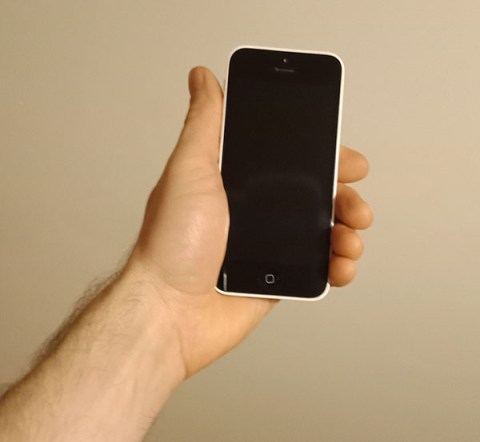
It has several signifiers like a power button, home button, buttons for adding sound, a button for sound recognition and silence button. Each button has few feedbacks. An example will be the home button, buttons for adding a sound and a button for sound recognition.
The power button has four feedback:
- when we hold down the button, the phone switches on, the information is displayed on the Apple logo display in the middle of the screen.

- when you press the button, the display will turn on or off.
- when we have the phone turned on, a longer press of the button will show us feedback with the display of the power button which, when moved to the right, turns off the power on the phone.
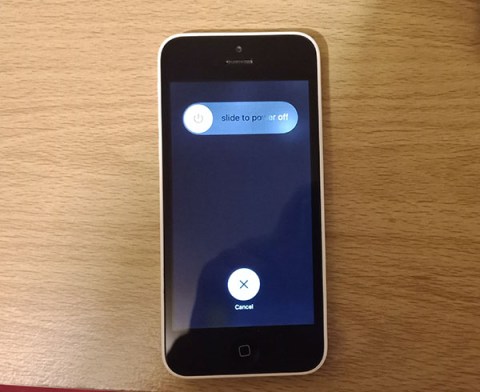
The negative and positive buttons have one feedback each:
- the negative button captures the sound which informs us the bell displayed on the screen with a decreasing volume of sounds.
- the positive button informs us the same as the negative button only in this case the volume of sound will increase.

As we can see such a small device and it has a lot of feedback information, what I described here is only one of a few buttons on the outside of the phone. Much more is in the device in the applications.
Conclusion
Affordance without signifiers is sometimes hard to understand and signifiers are without feedback. Affordance, signifiers and feedback facilitate the use of a given facility or device. What makes the user enjoy using it. That is why they are very important in UX design when we designing.
Sources:
- The Design of Everyday Things
- https://en.wikipedia.org/wiki/Affordance
 Rafal Web Design Blog
